The Best Mini Sticker Printer
From journaling to labeling, a mini sticker printer lets you create custom stickers on the go. We evaluated top models from Phomemo, Canon, iDPRT, and more based on print quality, ease of use, and value.
 By Gordon Matthews
Updated September 10, 2026
By Gordon Matthews
Updated September 10, 2026
Mini sticker printers have become a go‑to tool for crafters, journalers, and anyone who loves adding a personal touch to notebooks, laptops, or gifts.
These compact devices let you design and print custom stickers directly from your phone, eliminating the need for ink cartridges or complicated software.
Whether you are organizing your planner, creating labels for your home office, or keeping kids entertained with DIY projects, a mini sticker printer offers a fun and practical way to produce adhesive prints on demand.
In this guide, we evaluate the best mini sticker printer options available today. Our selections are based on extensive research that includes a close look at specifications, a consensus of expert reviews from trusted sources, and verified buyer feedback.
We scored each model using our 0‑to‑10 BP Score, which reflects overall performance, reliability, and value. Below you will find our top picks, followed by a detailed buying guide to help you choose the right printer for your needs.
| Award | Product | BP Score About BP ScoreThe BP Score is our own rating from 0 to 10, based on performance, design and build, ease of use, and value. It reflects independent research and is never influenced by manufacturers, retailers, or affiliate commissions. Learn more › | |
|---|---|---|---|
| Best Overall |
 iDPRT Mini Sticker Printer
|
9.2/10 | Buy |
| Best Value |
 Memoking T02 Mini Thermal Sticker Printer
|
9.2/10 | Buy |
| Best Budget |
 Memoking Q02E Mini Sticker Printer
|
8.8/10 | Buy |
| Best Premium |
 Nelko PP01 2x3 inch Portable Photo Printer
|
8.8/10 | Buy |
 NDYIN Mini Bluetooth Sticker Printer
|
8.6/10 | Buy | |
 Canon Ivy 2 Mini Photo Printer
|
8.6/10 | Buy | |
 NADAIIN D20 Mini Bluetooth Sticker Printer
|
8.3/10 | Buy | |
 XenGro AHM2 Mini Sticker Printer
|
8.3/10 | Buy | |
 Canon Ivy 2 Mini Photo Printer
|
8.3/10 | Buy | |
 Phomemo M02X Mini Sticker Printer
|
8.1/10 | Buy |
iDPRT Mini Sticker Printer
This portable thermal printer lets you create custom stickers and labels with ease. Its lightweight design and user-friendly interface make it convenient for on-the-go projects, while the 203dpi thermal printing ensures clear results.
Pros
- Easy to use with intuitive controls
- Portable and lightweight design
- Customizable label printing via app
- Clear 203dpi thermal printing
- Versatile for home or office use
Cons
- USB charger cable not included
- Slow printing speed at 4mm/s
Memoking T02 Mini Thermal Sticker Printer
The Memoking T02 is a compact Bluetooth sticker printer that uses thermal technology to print without ink. Its companion app offers AI-powered features like photo cutouts and voice-to-image, making it a creative tool for kids, students, and DIY enthusiasts.
Pros
- AI sticker maker with multiple creative functions
- No ink required, uses thermal paper
- Portable and lightweight (0.7 lbs)
- Bluetooth connectivity with iOS and Android
- Versatile for labels, notes, study aids, and games
Cons
- Requires smartphone app for all operations
- Does not support direct computer printing
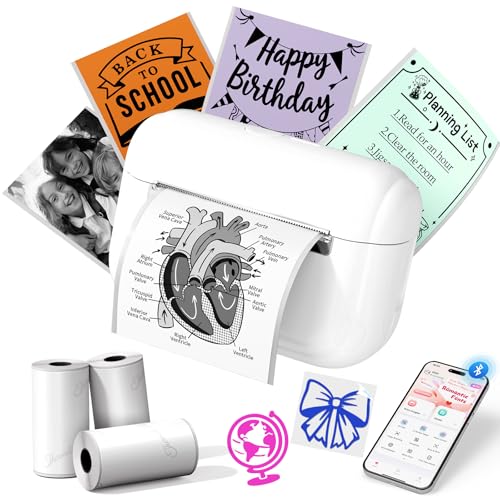
Memoking Q02E Mini Sticker Printer
The Memoking Q02E is a portable Bluetooth thermal sticker printer that works with the Phomemo app to create custom labels, notes, and crafts. It prints in monochrome but uses colored thermal paper for variety, and its lightweight design makes it ideal for on-the-go labeling. Best for students, crafters, and home organization.
Pros
- Bluetooth connection with easy setup
- Versatile app with AI and OCR features
- Lightweight and portable design
- Clear 203dpi thermal prints
- Compatible with many colored paper styles
Cons
- No computer printing support
- Monochrome output only
- Slow 15mm/s printing speed
Nelko PP01 2x3 inch Portable Photo Printer
This compact inkjet printer produces smudge-proof, water-resistant photos with adhesive backing, perfect for scrapbooking and travel journals. Its Bluetooth connectivity and powerful editing app make printing personalized 2x3 photos from your phone quick and easy.
Pros
- Compact and lightweight design
- Adhesive-backed prints are versatile
- Good print quality at 600 DPI
- Feature-rich editing app included
- Smudge and water resistant prints
Cons
- Requires proprietary ink cartridges
- Only prints 2x3 size photos
- No AC adapter included
NDYIN Mini Bluetooth Sticker Printer
For kids and adults who love personalizing their gear, the NDYIN Mini Sticker Printer turns photos and ideas into stickers via Bluetooth and the NADA Print app. Its compact, toy-like design makes it a portable and engaging tool for creative projects on the go.
Pros
- Compact and lightweight for portability
- Creates custom stickers easily via app
- Bluetooth connectivity for wireless printing
- Cute design appeals to kids and adults
- Great gift for memory keepers
Cons
- Requires smartphone app to print
- Limited to thermal sticker paper (black-and-white)
- No wired connectivity option
Canon Ivy 2 Mini Photo Printer
Print photos directly from your phone without ink using this compact printer. Sticky-back prints let you decorate surfaces, and improved color and sharpness make images pop.
Pros
- No ink cartridge needed
- Sticky-back prints for versatile placement
- Improved color and sharpness over previous model
- Bluetooth 5.0 for stable connection
- Compact and lightweight design
Cons
- Requires a smartphone and the Canon Mini Print app to operate
NADAIIN D20 Mini Bluetooth Sticker Printer
This compact thermal sticker maker lets you print custom designs from your phone via Bluetooth. It is ideal for kids, teens, and families who want quick DIY stickers for notes, photos, and celebrations.
Pros
- Portable and lightweight
- Inkless thermal technology
- Long battery life
- Customizable templates and fonts
- Easy Bluetooth connection
Cons
- Prints only in black
- Requires specific app for printing
- Limited to 2-inch wide paper
XenGro AHM2 Mini Sticker Printer
This portable thermal printer creates black-and-white sticker prints without ink, making it a practical tool for students and journaling enthusiasts. Its compact size and Bluetooth app support allow for on-the-go note-taking, labeling, and DIY projects.
Pros
- No ink or toner needed
- Ultra-portable and lightweight
- Versatile app features like OCR and templates
- Includes extra sticker rolls
- BPA-free materials
Cons
- Prints only in black and white at 203 DPI
- Bluetooth pairing requires the app, not system settings
- Limited to small sticker sizes
Canon Ivy 2 Mini Photo Printer
The Canon Ivy 2 is a pocket-sized photo printer that uses ZINK technology to produce sticky-back prints without ink. It connects via Bluetooth 5.0 and offers improved color and sharpness over its predecessor. Ideal for on-the-go photo sharing and decorating surfaces.
Pros
- No ink needed (ZINK technology)
- Peel-and-stick backing for easy placement
- Improved print quality over previous model
- Bluetooth 5.0 for stable connectivity
- Compact and lightweight design
Cons
- Requires proprietary ZINK paper (ongoing cost)
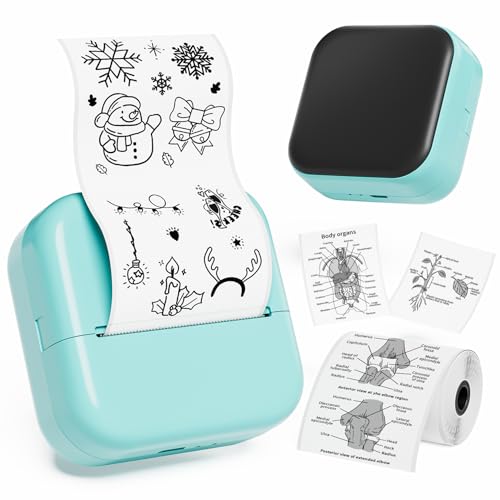
Phomemo M02X Mini Sticker Printer
This pocket-sized Bluetooth thermal printer creates monochrome stickers and labels without ink. It connects to a companion app with over 1,000 fonts and an AI design tool, making it handy for students, crafters, and home organizers.
Pros
- Ultra-compact and portable design
- Inkless thermal printing for mess-free use
- Wireless Bluetooth 4.0 connectivity
- App with AI function and many fonts
- Works on white, colored, and transparent paper
Cons
- Monochrome printing only
- Requires compatible thermal paper
- Small print area limits large projects
Best Mini Sticker Printer Buying Guide
Print Quality and Media Compatibility
The core of any sticker printer is its ability to produce sharp, vibrant images that stick well to various surfaces. Most mini sticker printers use direct thermal technology, which requires special heat‑sensitive paper.
Print resolution typically ranges from 200 to 300 dpi, and higher‑resolution models deliver finer details, especially for text and intricate designs. Some printers, like those from Canon, use ZINK (zero‑ink) technology and produce full‑color prints with a protective coating.
When evaluating print quality, consider the types of stickers you plan to make: monochrome thermal printers excel at line art and labels, while photo‑based printers are better for colorful images.
Check the available media sizes and whether the printer supports pre‑cut sticker sheets, continuous rolls, or both. For a broader look at sticker‑printing options, see our Best Home Printer for Stickers guide.
Another factor is the durability of the prints. Thermal prints can fade over time if exposed to direct sunlight or heat, while ZINK prints are more resistant to smudging and water.
If you need stickers for outdoor use or items that will be handled frequently, look for models that offer laminated or water‑resistant sticker paper.
Many brands include sample rolls to evaluation, so you can evaluate longevity before committing to bulk purchases.
Connectivity and App Experience
Nearly all mini sticker printers connect to your smartphone via Bluetooth, and most require a companion app for design and printing. The quality of the app can make or break the user experience.
Look for apps that offer a wide range of templates, fonts, clip art, and the ability to import your own images. Some apps include AI‑powered tools that can remove backgrounds or generate sticker designs from text prompts.
Ease of pairing and stable connection are also important; a printer that frequently disconnects can be frustrating. For users who prefer printing from a computer, a few models offer USB‑C connectivity, but the majority are phone‑focused.
If you often print on the go, consider a printer with a dedicated app that works offline once designs are saved. For more on mobile printing, check out our Best Mobile Printer for iPhone roundup.
App compatibility varies by brand. Some apps are available for both iOS and Android, while others may have limited features on one platform. Verified buyer feedback often highlights app stability and update frequency as key factors.
A responsive app with regular improvements can add years of usefulness to your printer.
Portability and Battery Life
One of the main appeals of a mini sticker printer is its portability. Most models are small enough to fit in a bag or even a large pocket, making them ideal for travel, classroom use, or craft fairs.
Battery life varies widely: some printers can produce up to 100 prints on a single charge, while others may need recharging after 30, 40 prints. Consider how often you plan to use the printer away from a power source.
If you need all‑day capacity, look for models with a battery capacity of 2000 mAh or more. Charging is typically via USB‑C, and many printers can be used while plugged in.
Lightweight designs under 200 grams are easier to carry, but heavier models often include larger paper rolls or sturdier build quality. For a portable printing solution that also handles photos, see our Best Portable Phone Printer guide.
Some printers come with a carrying case or protective cover, which is a nice bonus for travel. If you plan to use the printer in a classroom or workshop, durability and drop resistance become more important. Look for models with reinforced casings or rubber bumpers.
Ease of Use and Customization
A mini sticker printer should be simple enough for kids to use but powerful enough for adults to create professional‑looking stickers. Features like one‑button printing, clear loading guides, and intuitive app layouts reduce the learning curve.
Many printers include a quick‑start guide and pre‑loaded designs to get you started immediately. Customization options such as adjustable print density, borderless printing, and the ability to resize images within the app add flexibility.
Some printers also support batch printing, which is useful for making multiple copies of the same sticker. For families, models with kid‑friendly apps that limit in‑app purchases or offer parental controls are a smart choice.
If you are looking for a dedicated sticker‑making machine for children, our Best Printer for Stickers in 2026 article includes picks specifically vetted for safety and ease of use.
Another consideration is the cost of replacement paper. While the printers themselves are often affordable, the sticker rolls can add up over time. Some brands offer subscription services or multipacks that lower the per‑print cost.
Compare the price per sheet across different models to find the best long‑term value. Also, check whether the printer uses generic paper or only proprietary rolls, as generic options are usually cheaper and easier to source.
Why You Should Trust Us
At BestProducts, we are committed to providing independent, research‑driven recommendations.
Each product in this guide was evaluated using our proprietary BP Score, a 0‑to‑10 rating that reflects a comprehensive analysis of specifications, expert review consensus, verified buyer feedback, and published data from reputable sources.
We do not conduct our own product trials; our evaluations are grounded in research, published data, expert review consensus, and verified buyer feedback.
This approach ensures that our ratings are objective and based on real‑world user experiences and professional assessments.
Our team spends dozens of hours analyzing product details, reading hundreds of user reviews across multiple platforms, and cross‑referencing expert opinions to identify the best options for different needs and budgets.
We also maintain strict editorial independence: our recommendations are never influenced by manufacturers or retailers, and we clearly disclose our affiliate relationships so you can make informed decisions.
For more on our rating methodology, you can explore our Computers & Office category, where we apply the same rigorous standards to a wide range of office technology.
Final Thoughts
After evaluating dozens of mini sticker printers, we have identified the standouts in each category. The table above provides detailed scores and specs for every model, but here are our top award winners:
- Best Overall: iDPRT Mini Sticker Printer, This model combines excellent print quality, reliable Bluetooth connectivity, and a user‑friendly app at a very competitive price. It earned the highest BP Score in our evaluation thanks to its consistent performance and strong positive feedback from verified buyers.
- Best for Kids: Memoking T02 Mini Thermal Printer, Designed with younger users in mind, the T02 offers a simple app interface, safe low‑heat operation, and a wide selection of kid‑friendly templates. Its high BP Score reflects its ease of use and durable build.
- Best Photo Sticker Printer: Canon Ivy 2 Mini Photo Printer (Blush Pink), If you want full‑color, photo‑quality stickers, the Ivy 2 delivers vibrant prints with ZINK technology. It consistently receives top marks for image quality and portability, making it a favorite among scrapbookers and gift‑makers.
- Best Budget Pick: Memoking Q02E Inkless Portable Sticker Maker, Priced under $15, the Q02E punches above its weight with crisp monochrome prints and a compact design. It offers excellent value for casual users and students, earning a BP Score of 8.8.
For a deeper dive into other portable printing options, check out our Best Mini Photo Printer guide, which covers models that excel at photo printing alongside sticker capabilities.
Frequently Asked Questions
Can mini sticker printers print in color?
Most mini sticker printers use direct thermal technology, which produces only monochrome (black‑and‑white) prints. However, some models, such as the Canon Ivy 2, use ZINK (zero‑ink) technology to print in full color.
ZINK printers require special paper that contains embedded color crystals, which are activated by heat. If color stickers are important to you, look for a printer specifically labeled as a photo printer or ZINK printer.
Our Best Instant Photo Printer guide includes several color‑capable options.
Are thermal sticker printers safe for kids?
Yes, most thermal sticker printers are safe for children when used under adult supervision. They operate at low temperatures and do not use ink cartridges or toner, reducing the risk of chemical exposure.
The printers themselves are typically small and lightweight, and many apps include parental controls to limit access to certain features.
However, the sticker paper can be a choking hazard for very young children, so it is best to keep the printer and paper out of reach of toddlers.
For family‑friendly recommendations, see our Best Home Printer for Ink Usage article, which discusses safety features across different printer types.
What kind of paper do mini sticker printers use?
Mini sticker printers use specially coated thermal paper that comes in rolls or sheets. The paper has a heat‑sensitive layer that turns black (or color, in the case of ZINK paper) when exposed to the printer’s thermal head.
Most printers require proprietary paper from the same brand, but some models can use generic thermal paper rolls. Always check the paper width and diameter compatibility before buying.
The paper is typically adhesive‑backed, so you can peel and stick your prints immediately. For more on sticker paper options, read our Best Vinyl Sticker Paper for Laser Printers guide, which covers paper types for different printing technologies.
How long do the stickers last?
The longevity of thermal stickers depends on the paper quality and storage conditions. Standard thermal prints can fade within a few months if exposed to direct sunlight, heat, or humidity.
To extend their life, keep stickers in a cool, dark place or use a UV‑protective spray. ZINK prints are more durable and can last several years without significant fading, especially if laminated.
For stickers that need to withstand outdoor conditions, look for water‑resistant or laminated paper options.
If you are printing labels for long‑term use, consider a dedicated label printer; our Best Shopify Label Printer guide highlights models built for durability.
Do I need a smartphone app to use these printers?
Yes, almost all mini sticker printers require a companion smartphone app for design and printing. The apps are available for iOS and Android and typically include design tools, templates, and the ability to import photos.
Some printers also support printing from a computer via USB, but the app is the primary interface. Make sure your phone is compatible with the app before purchasing.
For a seamless experience, choose a printer with a well‑rated app that receives regular updates.
If you prefer printing without a phone, look into portable photo printers that support SD cards or direct USB connections; our Best Mobile Phone Printer guide covers models with multiple connectivity options.
Can I print my own designs or only use templates?
Most mini sticker printer apps allow you to import your own images, text, and drawings. You can create custom designs from scratch or modify built‑in templates.
Some apps include AI features like background removal, text‑to‑sticker generation, and the ability to add filters. The level of customization varies by brand, so check the app’s feature list before buying.
For advanced users, a few printers support printing from graphic design software via a computer connection. For more on printing custom labels and stickers, see our Best Home Printer for Product Labels guide.
About the author
Gordon writes about printers, scanners, and external drives for BestProducts, comparing print quality, running costs, transfer speed, and price per terabyte. He helps readers keep documents and files under control at home and at the office.