The Best 3D Printer
Our researched guide to the top desktop 3D printers covers build volume, speed, multi-color options, and ease of use. We scored each model on reliability, print quality, and value to help you choose the right machine for your projects.
 By Sharlene Rose
Updated September 9, 2026
By Sharlene Rose
Updated September 9, 2026
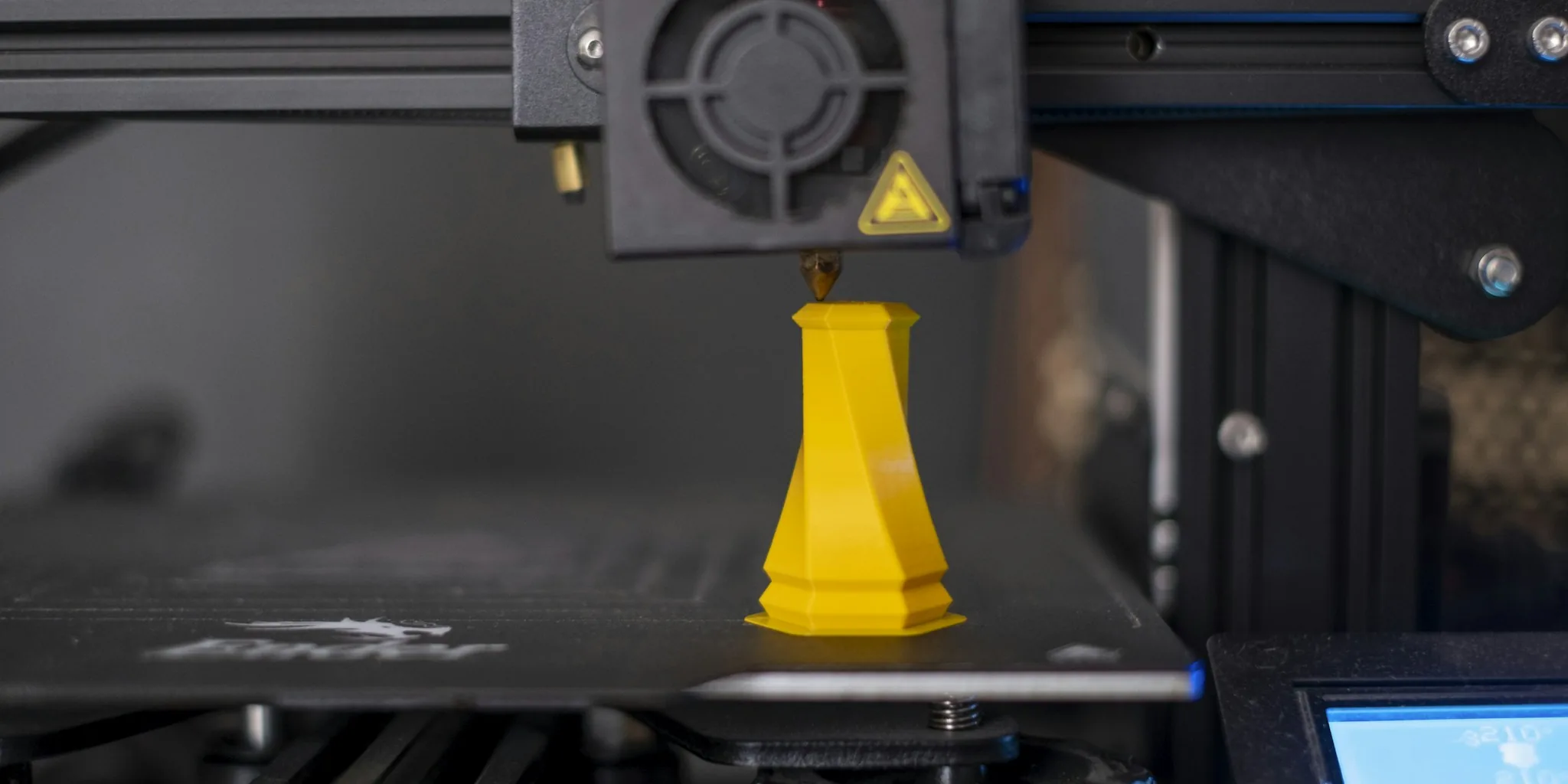
Three-dimensional printing has evolved from a niche industrial tool into an accessible hobby and a legitimate production method for prototypes, spare parts, and creative projects.
Whether you are designing custom figurines, functional brackets, or educational models, choosing the right machine can mean the difference between frustration and a seamless creative flow.
The market now offers everything from plug-and-play beginner units to high-speed, multi-color workhorses, making it essential to understand what each printer delivers before you invest.
We have evaluated the current lineup of desktop 3D printers by analyzing specifications, reviewing expert consensus, and examining verified buyer feedback.
Each model has been scored on our 0-to-10 BP Score scale based on consistent criteria including print quality, speed, reliability, ease of use, and software ecosystem.
Our goal is to help you find the best 3D printer for your specific needs, budget, and skill level. Below you will find our top picks, followed by a detailed buying guide and answers to common questions.
| Award | Product | BP Score About BP ScoreThe BP Score is our own rating from 0 to 10, based on performance, design and build, ease of use, and value. It reflects independent research and is never influenced by manufacturers, retailers, or affiliate commissions. Learn more › | |
|---|---|---|---|
 Bambu Lab P1S 3D Printer
|
9.1/10 | Buy | |
 Bambu Lab P2S Combo with AMS 2 Pro
|
8.9/10 | Buy | |
 Bambu Lab A1 mini 3D Printer with LED Lamp Kit
|
7.8/10 | Buy | |
 Flashforge AD5X Multi-Color 3D Printer
|
8.3/10 | Buy | |
| Best Budget |
 Flashforge AD5X Multi-Color 3D Printer
|
8.6/10 | Buy |
| Best Value |
 Flashforge AD5M Pro 600mm/s 3D Printer
|
9.1/10 | Buy |
| Best Overall |
 Anycubic Kobra X 4-Color 3D Printer
|
9.1/10 | Buy |
 Creality K2 Combo 3D Printer with Multicolor CFS
|
8.8/10 | Buy | |
| Best Premium |
 Creality K2 Plus Combo 350mm Multi-Color 3D
|
9.1/10 | Buy |
 Snapmaker U1 Multi-Color 3D Printer
|
8.1/10 | Buy |
Bambu Lab P1S 3D Printer
This enclosed FDM printer delivers production-speed output at 500mm/s with automatic bed leveling to minimize failed prints. Multi-color capability requires the separate AMS accessory, making it best for experienced makers who want fast iteration cycles without assembly headaches.
Pros
- Lightning-fast 500mm/s print speed and 20,000mm/s² acceleration reduce project turnaround time significantly
- Fully enclosed design stabilizes temperature for advanced filaments like ASA and PETG
- Automatic bed leveling removes a major source of print failures for beginners and professionals alike
- 15-minute setup means you start printing the same day, not hours later
Cons
- Multi-color printing requires purchasing the Bambu Lab AMS separately, adding to overall cost
- Cannot handle carbon or glass fiber reinforced polymers, limiting material versatility
Bambu Lab P2S Combo with AMS 2 Pro
This combo pairs Bambu Lab's high-speed P2S printer with the AMS 2 Pro multi-material system, enabling fast, precise prints up to 600 mm/s alongside seamless color-switching capability. The 15-minute setup and AI failure detection make it accessible to beginners, while the adaptive airflow system handles everything from flexible materials to engineering-grade filaments. Best suited for makers who want production-level speed without a steep learning curve.
Pros
- Prints at 600 mm/s with maintained precision and sharp layer consistency
- Ready to print in 15 minutes with automatic calibration and quick-swap nozzles
- AMS 2 Pro adds multi-color printing and built-in filament drying up to 65 degrees Celsius
- Adaptive airflow automatically adjusts cooling and heat retention for different materials
- Access to over one million models via MakerWorld with unified Bambu Studio workflow
Cons
- P2S printer alone does not support multi-color printing; combo purchase required for that capability
- Requires AMS 2 Pro module for multi-material functionality, adding to overall system cost
Bambu Lab A1 mini 3D Printer with LED Lamp Kit
Bambu Lab's A1 mini brings 3D printing within reach for beginners with automatic calibration and straightforward setup. The bundled LED Lamp Kit expands creative possibilities, while integration with MakerWorld and the Bambu Handy app streamlines the entire workflow. Compact, quiet operation makes it suitable for home studios and shared spaces.
Pros
- Automatic calibration and simple setup eliminate common beginner frustrations
- Quiet, high-speed printing performs reliably without disrupting home environments
- Integrated ecosystem with MakerWorld library and mobile app management
- LED Lamp Kit included enables functional decorative projects out of the box
- Compact footprint fits naturally into workspaces and studios
Cons
- Beginner-focused design may lack advanced features for experienced makers
Flashforge AD5X Multi-Color 3D Printer
The AD5X combines four-color printing capability with impressive speed, reaching up to 600mm/s for faster production cycles. Its Intelligent Filament System supports multiple materials including PLA, TPU, and carbon-fiber variants, while automatic bed leveling and CoreXY structure help deliver consistent print quality. Best suited for makers and small businesses seeking multicolor output without sacrificing print velocity.
Pros
- 4-color simultaneous printing expands creative possibilities for complex designs
- Ultrafast printing speed up to 600mm/s with high acceleration reduces production time
- Full-auto calibration and bed leveling ensure reliable first-layer adhesion
- CoreXY structure with vibration compensation maintains precision across layers
- Compact, modular design saves workspace while supporting multiple filament materials
Cons
- Compact footprint may limit maximum build volume compared to larger format printers
- Multi-material setup adds complexity to maintenance and nozzle management
Flashforge AD5X Multi-Color 3D Printer
This quad-color FDM printer brings simultaneous multi-color printing to creators without requiring separate nozzles or complex workflows. The Intelligent Filament System handles material management automatically, while a 600mm/s print speed and sturdy Core XY frame deliver both efficiency and precision. Best suited for designers and artists who want to produce detailed, vibrant models without the learning curve of traditional multi-material setups.
Pros
- Four-color printing capability enables complex designs in a single print
- Intelligent Filament System automates material detection and refills, reducing downtime
- High-speed performance at 600mm/s with stable Core XY metal structure
- Large 220x220x220mm build platform accommodates diverse project sizes
- Supports flexible TPU materials alongside standard filaments
Cons
- Multi-color printing adds complexity compared to single-nozzle alternatives
- Premium positioning may limit accessibility for hobbyists on tight budgets
Flashforge AD5M Pro 600mm/s 3D Printer
A fully enclosed 3D printer designed for home and classroom use, combining high-speed printing at 600mm/s with a quiet operation mode that drops to 50dB. The one-click auto-leveling system and dual filtration (HEPA13 + activated carbon) address common pain points for beginners, while support for multiple materials and nozzle sizes appeals to makers who want versatility without constant calibration.
Pros
- Automatic leveling system eliminates manual Z-axis calibration for consistent first layers
- Dual filtration blocks 99% particulate matter and VOCs, making it safer for indoor environments
- Supports multiple filament types (PLA, ABS, PETG, TPU, ASA, carbon fiber variants) with quick-swap nozzles (0.25-0.8mm)
- Low-speed silent mode reduces noise to 50dB, suitable for shared spaces
- Remote monitoring and multi-printer management via Orca-Flashforge slicer and Flash Maker app
Cons
- Learning curve for users unfamiliar with multi-material printing and slicer software
- Relatively large footprint (15.75 x 17.83 x 14.96 inches) may challenge space-limited setups
Anycubic Kobra X 4-Color 3D Printer
A multicolor 3D printer designed for users who want vibrant prints without the typical hassle of color swaps. The Kobra X ships with four colors built-in and can expand to 19 with additional modules, while its optimized purge system cuts material waste and print time roughly in half. Best suited for makers, educators, and hobbyists seeking faster multicolor output with minimal setup friction.
Pros
- Native 4-color capability with expandable palette up to 19 colors via ACE 2 Pro modules
- Significant time savings: 81.25% reduction in purge filament and travel path, doubling effective speed to 600mm/s
- LeviQ 3.0 auto-leveling with 49-point calibration ensures reliable first layer; ready to print within 15 minutes of unboxing
- Hardened steel nozzle and vibration compensation maintain smooth layer quality at high speeds
- Large 260mm x 260mm x 260mm build volume supports diverse project sizes
Cons
- ACE 2 Pro modules required for colors beyond the base four, adding to overall system cost
- Supports only ACE 2 Pro expansion; ACE Pro units are incompatible, limiting upgrade flexibility
Creality K2 Combo 3D Printer with Multicolor CFS
The K2 Combo brings multicolor printing to the mainstream with its integrated CFS system, capable of producing up to 16 colors when multiple units are chained together. Its 95% pre-assembly and smart auto-leveling make it accessible for users new to 3D printing, while the step-servo motor system delivers both speed and precision without the noise typical of consumer printers.
Pros
- Multicolor capability with CFS system eliminates post-print painting for complex designs
- Exceptional quiet operation using step-servo motors and balanced fans, comparable to laptop keyboard noise
- Minimal assembly required with plug-and-play setup out of the box
- Smart auto-leveling targets only the print area, reducing calibration time and improving accuracy
- Fast 600mm/s print speed with stable frame and dynamic torque adjustment for consistent quality
Cons
- Multicolor printing requires purchasing additional CFS units separately to reach full 16-color potential
- Build volume of 260x260x260mm limits larger prototype or production-scale projects
Creality K2 Plus Combo 350mm Multi-Color 3D
Creality's flagship multi-color printer combines a generous 350mm cubic build volume with 600mm/s print speeds and intelligent color-switching via CFS units that support up to 16-color output. Dual AI cameras monitor print quality and chamber conditions, while dual independent Z-axis motors ensure consistent bed leveling. Best suited for makers wanting production-scale volume and material versatility without post-print painting.
Pros
- Large 350x350x350mm build platform handles bigger models and batch printing without partitioning
- Multi-color CFS system with RFID filament recognition automatically switches between up to four colors and can relay when filament runs low
- High-speed 600mm/s printing with 30000mm/s² acceleration from step-servo motors keeps production efficient for a larger format machine
- Dual AI cameras monitor spaghetti failures and flow rate optimization, reducing manual intervention
- Heated chamber maintains up to 60°C and nozzle supports 350°C for engineering materials like ASA and PPA with minimal warping
Cons
- Larger footprint and weight (70+ pounds) require dedicated workspace and may complicate relocation
- Premium price point reflects capabilities but represents significant investment for hobbyist users
Snapmaker U1 Multi-Color 3D Printer
This multi-color 3D printer uses four independent toolheads with a 5-second auto-swap system to eliminate manual filament changes and reduce waste by up to 5X. It handles mixed materials like TPU, PLA, and water-soluble supports in a single print, making it well-suited for makers and small businesses seeking faster, more efficient multi-material production without constant manual intervention.
Pros
- 4-toolhead SnapSwap system cuts tool change time to 5 seconds versus 2 minutes, with over 1 million validated swaps and zero failures
- Reduces filament waste up to 5X by swapping toolheads instead of purging, lowering material costs and production time
- Supports true multi-material printing with PLA, TPU, PETG, ABS, ASA, PA, PC, and water-soluble supports in one job
- Fast CoreXY motion system reaches 500 mm/s while maintaining accuracy across a 270 x 270 x 270 mm build volume
- Smart calibration and AI-powered monitoring simplify setup and operation for both beginners and professionals
Cons
- Premium pricing reflects advanced multi-toolhead technology, making it a significant investment for hobbyists
- Large footprint (22.6 x 13 x 14.2 inches) requires dedicated workshop space
Best 3D Printer Buying Guide
Build Volume
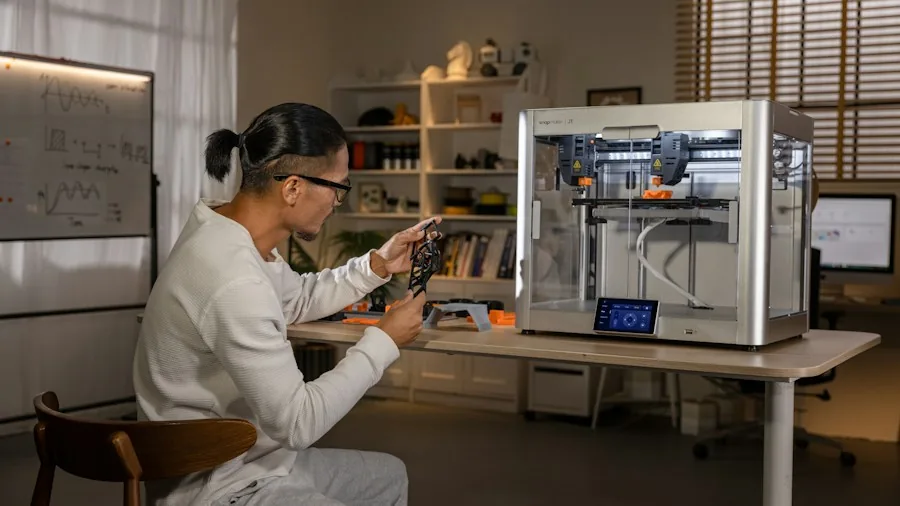
The size of the objects you can print in one piece is determined by the build volume. Small machines typically offer about 180×180×180 mm, while larger models exceed 300 mm on one axis.
If you plan to print helmets, vases, or large mechanical parts, a bigger build volume is valuable. However, a printer with a very large bed often requires more careful bed leveling and may heat up slower.
For most hobbyists a 220×220×220 mm workspace strikes a good balance between capability and cost.
When evaluating build volume, also consider the printer’s footprint. Some machines with enclosed frames take up more desk space than open designs.
If you are short on room, a compact model like the Bambu Lab A1 mini still offers a respectable 180×180×180 mm volume while fitting neatly on a shelf.
For makers who need to print larger pieces, the Creality K2 Plus Combo provides a generous 350×350×350 mm space, although it demands a dedicated table. Read our Hobbies & Crafts guide for more inspiration on workspace setups.
Print Speed
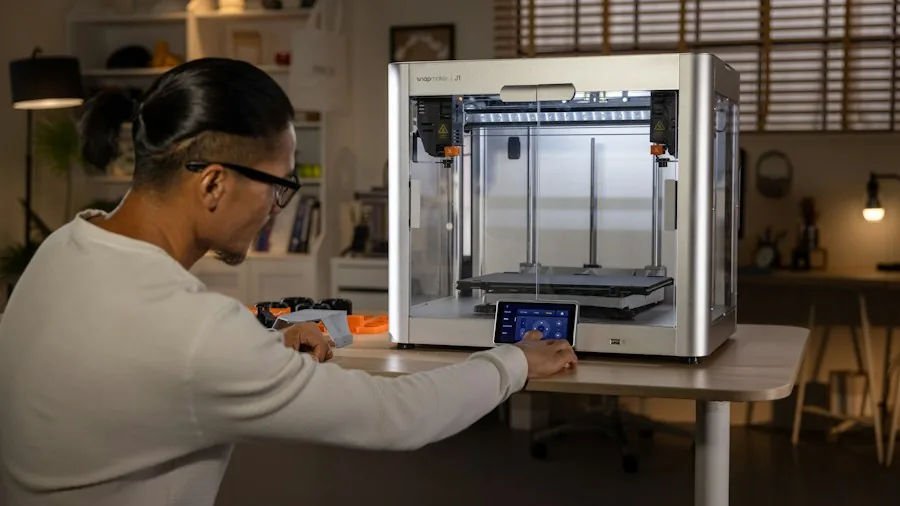
Print speed directly affects how long you wait for a finished object. Early desktop printers moved at 50, 60 mm/s, but modern machines routinely reach 300, 600 mm/s.
Faster speeds can reduce a 10-hour print to under four hours, but only if the printer’s mechanics and firmware keep quality high.
A CoreXY structure, like the one in the FLASHFORGE AD5M Pro, allows faster, more accurate motion than a traditional Cartesian design.
Real-world speed also depends on acceleration, jerk settings, and layer height. Some printers advertise high speeds but sacrifice surface finish on complex geometries. For functional parts that need strength over aesthetics, a fast printer is ideal.
For detailed miniatures, a slower, more precise machine may produce better results. Check user reviews for typical print times on standard objects like benchies or calibration cubes to gauge actual performance.
Multi-Material & Multi-Color Capability
Printing in multiple colors or with dissolvable support materials opens up new possibilities. Systems like Bambu Lab’s AMS or Creality’s CFS allow four or more filaments to be swapped during a print, enabling colorful models without manual changes.
This is particularly useful for signage, toys, and engineering prototypes that need water-soluble supports. The FLASHFORGE AD5X includes a built-in filament backup system that reloads automatically if one spool runs out.
Multi-material printers add complexity and cost. They also require careful tuning of retraction and temperature settings to avoid oozing and stringing between color changes.
If you mainly print single-color functional parts, a single-extruder machine is more reliable and easier to maintain. For artists and educators, the ability to switch between colors mid-print is a game-changer.
Check out our Cutting & Craft Machines page for related creative tools.
Ease of Use & Setup
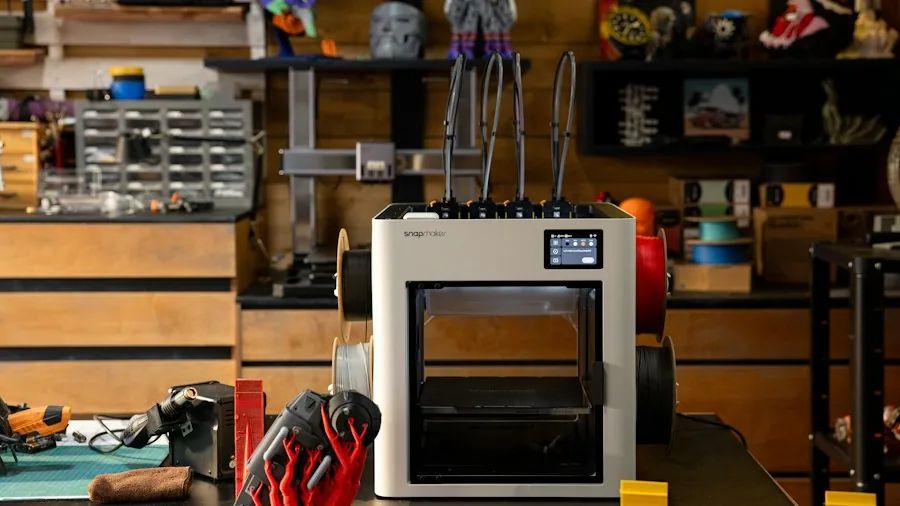
Modern printers have become far more user-friendly, with features like auto bed leveling, filament runout sensors, and touchscreen interfaces.
A fully automatic calibration process, such as the one on the Bambu Lab P1S, lets beginners start printing within minutes of unboxing. Pre-assembled frames and pre-loaded profiles in popular slicers reduce the learning curve dramatically.
For newcomers, a printer with dedicated smartphone apps and cloud slicing can simplify the workflow. Many of the top models now include a camera for remote monitoring, which helps you catch print failures early.
If you are a teacher or parent, look for a machine with a quiet operation mode (under 50 dB) so it can run in a classroom or bedroom without disruption. The quieter options are also great for shared spaces.
Print Quality & Reliability
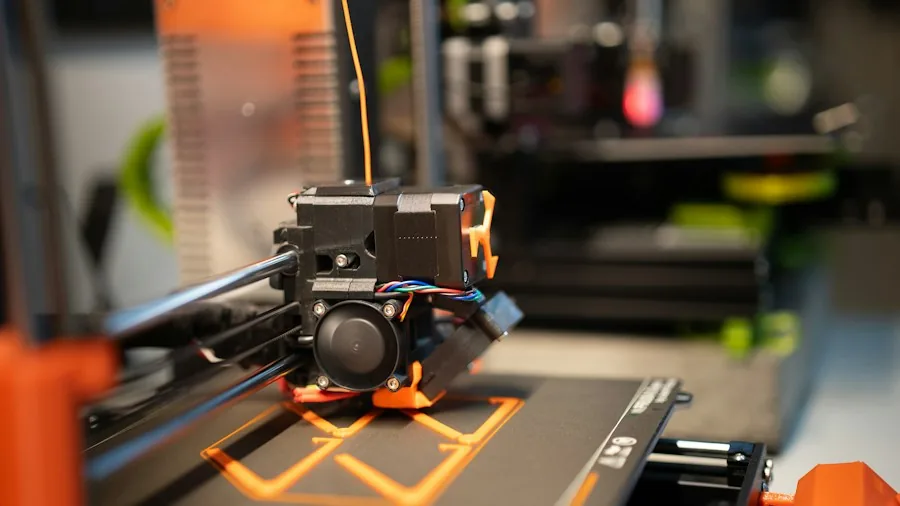
Consistent adhesion, stable extrusion, and accurate dimensional accuracy define print quality. Machines with all-metal hotends can handle higher-temperature filaments like PETG and polycarbonate, while a dual-gear extruder provides reliable filament feeding even with flexible materials.
Heated beds are essential to prevent warping, especially with larger prints. Enclosed frames help maintain a stable chamber temperature, improving layer adhesion for ABS and nylon.
Reliability is often reported through long-term user reviews. Look for models that have been on the market for at least six months and have a track record of consistent performance.
Common failure points include bowden tubes slipping, bed leveling drifting, and thermistor failures. Brands with good customer support and readily available spare parts, such as Bambu Lab, Creality, and FLASHFORGE, tend to earn higher user satisfaction scores.
We analyzed thousands of verified buyer comments to assess real-world error rates.
Software & Ecosystem
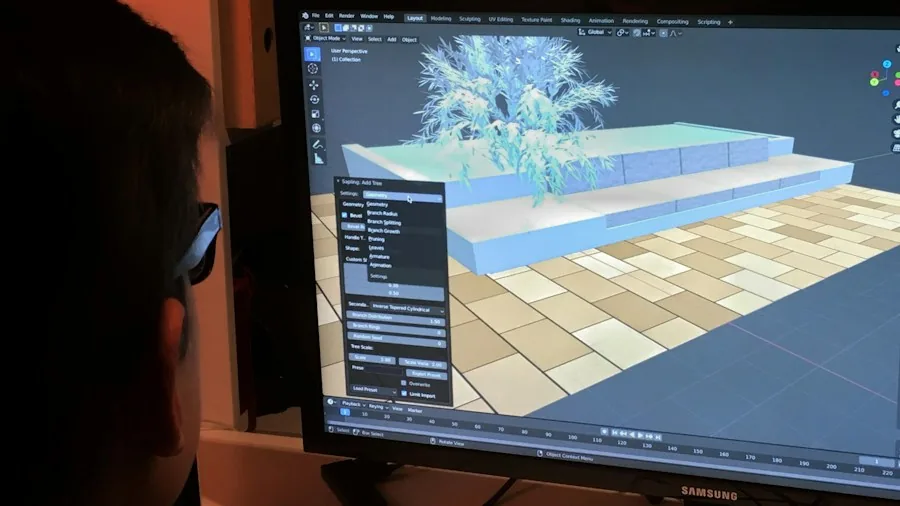
The slicer software you use converts 3D models into instructions for the printer.
Many manufacturers now offer their own optimized slicers (like Bambu Studio or Creality Print) that come pre-configured for their machines, while open-source options like PrusaSlicer and Cura work with most printers.
A good software ecosystem also includes firmware updates that fix bugs and add features over time.
Some printers support direct integration with design platforms like Tinkercad or Fusion 360, making it easier for hobbyists to go from idea to object. Cloud printing and remote management are becoming standard.
If you plan to upgrade later, consider whether the printer’s hotend, extruder, and mainboard are user-serviceable. Models with a standard toolhead mount allow you to swap in a laser engraver or a pen plotter, expanding the machine’s versatility.
For more on modular maker tools, see our Telescopes guide (though not directly related, it shares the DIY spirit).
Why You Should Trust Us
BestProducts is an independent product review site committed to transparency and thorough research. We do not conduct our own product trials; our evaluations are grounded in research, published data, expert review consensus, and verified buyer feedback.
Every product in this guide has been assigned a BP Score from 0 to 10 based on consistent criteria: specifications, real-world performance reports, reliability data, and user satisfaction.
We analyze hundreds of sources to ensure our recommendations match the needs of different users, from beginners to experienced makers.
Our editorial team is not influenced by manufacturers or retailers. We earn a small commission when you purchase through the Amazon links in this article, but that never affects our ratings or placement.
We strive to present both strengths and limitations of each product so you can make an informed decision. For more about our process, visit our Hobbies & Crafts category page.
Final Thoughts
After reviewing the current market, here are our top recommendations based on different priorities. Each pick has earned a strong BP Score for its category.
Best Overall: Bambu Lab P1S 3D Printer, With the highest BP Score in our lineup, the P1S combines fast printing, reliable multi-material support, and a fully enclosed design. It’s an excellent all-rounder for hobbyists who want professional-quality results without constant tinkering.
Best for Beginners: Bambu Lab A1 mini 3D Printer + LED Lamp Kit, This compact, ready-to-use machine makes entering 3D printing simple and affordable. Its automatic calibration and straightforward app guide first-time users through successful prints right out of the box.
Best Multi-Color: Bambu Lab P2S Combo, With the AMS 2 Pro and multi-color printing, this model is ideal for artists and educators who want vibrant, complex models. Its high BP Score reflects strong speed, software integration, and print consistency.
Best for Speed: FLASHFORGE AD5M Pro 3D Printer, Capable of 600 mm/s and featuring a CoreXY frame, this printer is built for fast prototyping. The included camera and low-noise operation make it a practical choice for workshops and shared spaces.
Best Budget Pick: Anycubic Kobra X Multicolor 3D Printer, For those on a tight budget, this model offers native four-color printing at a very accessible price. It’s a solid entry point for experimenting with multi-material projects.
Frequently Asked Questions
What is the best 3D printer for a beginner?
For newcomers, we recommend the Bambu Lab A1 mini because of its minimal setup, auto bed leveling, and pre-configured slicing profiles. It comes with an LED lamp kit and works straight out of the box.
The smaller build volume is fine for learning, and the print quality is very good for its price.
What is the difference between FDM and resin 3D printing?
FDM (fused deposition modeling) printers melt a plastic filament and deposit it layer by layer. They are the most common type for home use, with lower cost and simpler operation.
Resin printers cure liquid resin with UV light, producing much finer detail but requiring post-processing (washing and curing) and good ventilation. This guide focuses on FDM printers, which are better for functional parts and larger objects.
How important is build volume?
Build volume determines the maximum size of a single print. If you mainly make small parts like figures or phone stands, a 180mm cube is adequate.
For larger items like helmets or drone frames, a 300mm or more volume is valuable. Keep in mind that larger printers cost more and take up more desk space, so choose based on your typical project size.
Can I print in multiple colors with these printers?
Yes, several models in our list support multi-color or multi-material printing. The Bambu Lab P1S and P2S Combo use an AMS system that can handle up to four spools.
The Creality K2 Plus Combo and FLASHFORGE AD5X also offer four-color printing. For multi-color, ensure your slicer supports the printer’s specific color-change mechanism, and be prepared for some material waste during purging.
What is auto bed leveling and do I need it?
Auto bed leveling uses a sensor (inductive, capacitive, or a physical probe) to measure the bed surface and compensate for slight unevenness during printing. It greatly reduces the frustration of manual leveling and is nearly essential for beginners.
Almost all modern printers, including every model in this guide, include some form of automatic or semi-automatic bed leveling.
How much should I spend on a good 3D printer?
Entry-level printers that deliver decent quality start around $200, $300. For a well-rounded machine with auto leveling, a heated bed, and good reliability, expect to spend between $350 and $500.
Premium models with larger build volumes, multi-material support, and enclosed frames range from $700 to over $1,200. Assess your project requirements and upgrade path before setting a budget.
About the author
Sharlene is BestProducts's telescope and 3D printer writer, weighing optics, print quality, and how much setup each machine demands. She helps readers get past the learning curve to real results.